Live2D / Cost Q&A
Is the model price the whole cost?
Extra costs to check before buying
You may also need production, app, or equipment costs. You do not need to buy everything: identify only the additions your setup requires.

Is there a production fee
on top of the model price?
A finished model normally needs no extra rigging if you use it as supplied. Artwork-only products need separate work to make them move.
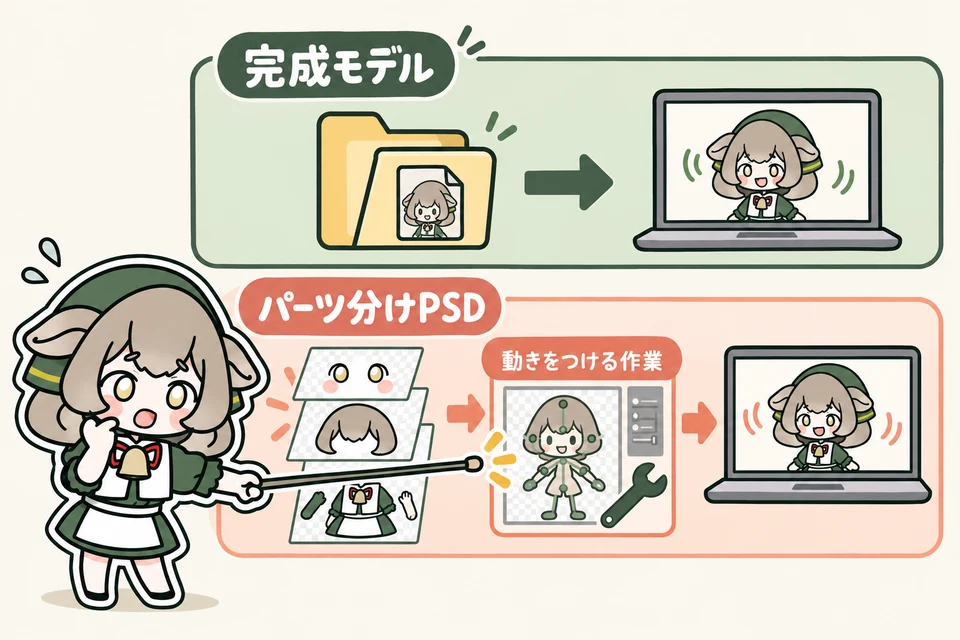
Diagram: a finished model includes movement; a layered PSD needs modeling or rigging before it can move.
Buying a finished model
Import the already-rigged data into a supported app. First check the product price and whether it works with your setup.
Buying a layered PSD
This is artwork prepared for production, with parts such as eyes and hair on separate layers. Adding movement is called modeling or rigging. If you commission someone to do it, ask about that cost separately from the artwork price.
Artwork-only prices and finished-model prices cover different amounts of work. Do not decide from a name such as “Live2D-ready” or “model” alone: check the included files. Live2D's official model selection guide (Japanese) ↗
What about extra outfits or expressions?
Even a finished model may require additional production fees for outfits or expressions not included in the product. Confirm what can be changed and the cost with the seller before commissioning it.
Do I need to buy
all the apps and equipment?
Check what you already own and budget only for what is missing. Apps with free trials may still have paid features or paid-use requirements.

Diagram: test the computer, camera and microphone you have; list only the items your setup still needs.
An app to animate the model
You can test VTube Studio for free. With webcam tracking on Steam, watermark removal is a paid feature. The mobile app also has a paid PRO version.
The official FAQ requires a paid purchase for commercial use such as advertising revenue or tips. Choose the purchase that matches your device and tracking method. VTube Studio FAQ ↗
Choose the paid option for webcam or phone tracking →Software to stream or record video
This has a different job from the app that moves your model. OBS Studio ↗ is free streaming and recording software.
If you choose another service or extra features, check their fees separately.
Computer, phone and microphone
Before buying everything new, use the app's official guidance to check your existing device, OS and face-tracking camera. If you plan to broadcast your voice, try your existing microphone or headset too.
VTube Studio supports webcam workflows. Choose how you will track before buying both a phone and a webcam. Check camera and paid-version requirements ↗
A sample working in the free version does not guarantee that the model you want to buy will work. Check that product's supported apps and system requirements.
What will my setup cost?
Write down these four items
Check the model, additional production, apps and equipment. Total one-time costs separately from monthly or yearly costs.
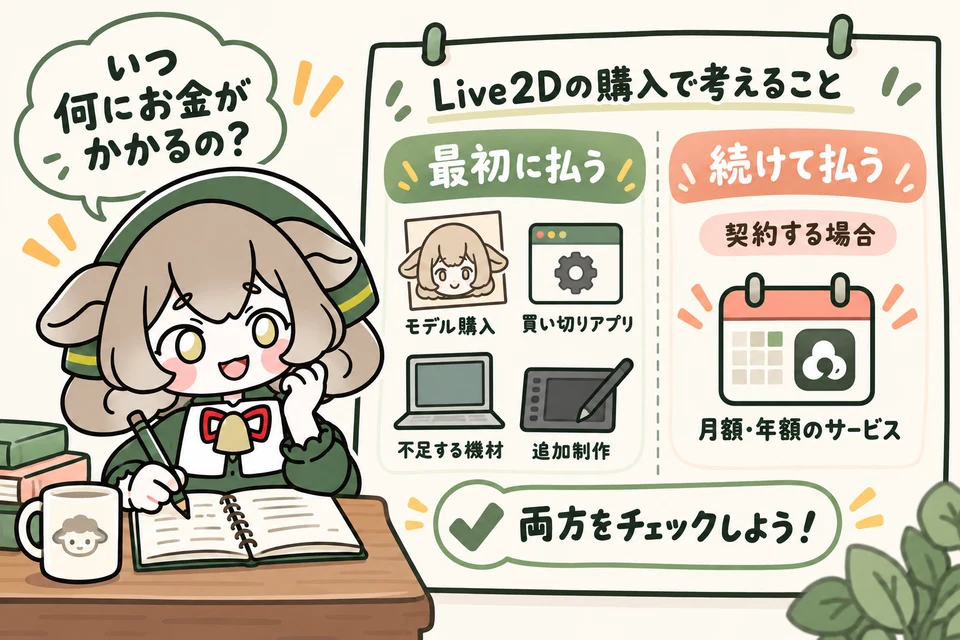
Diagram: make four budget lines, then separate one-time, monthly and annual payments. Use your own currency consistently.
Open the product page and make the following four notes. Write “not needed” for things you do not need and “to confirm” for unknown amounts.
Model: what is the purchase price?
Check whether it is finished or artwork-only and what is included. Record the price at the time of purchase.
Additional production: will you commission any work?
Request a quote for rigging or extra outfits and expressions if needed. Separate this from using a finished product unchanged.
Apps: does your use require payment?
Check your device, paid features and monetization plans. Record the official price and whether it is a one-time, monthly or annual payment.
Equipment: what is missing from what you own?
Check compatibility and operation, then list only the items you need to add. If streaming requires a different internet plan, note that additional cost separately.
One-time costs
Model + required production + one-time apps or features + equipment you need to buy
Total: ______ · Currency: ______
Recurring costs
Monthly or annual services you choose, plus any added connection costs. These are unnecessary if you do not subscribe.
Monthly: ______ / Yearly: ______
Do not treat “to confirm” as zero. Check product pages, official stores and quotes before deciding your budget. For overseas payments, confirm the quoted currency and any applicable conversion or payment fees.